2002-02-17
_ 場所
神奈川
_ 恭ちゃん握手怪@メイト渋谷
井手さんがチケットを余らせていると昨日云いました。でもなんだかんだではらださんが余らせているチケットを貰いました。
1330 ころメイト渋谷着。はらださん、もげさんと合流。ちとしてから わたなべさん、佐藤さんと合流。そしてもりやくんと合流。ブツを引き取り。
イベントは 1400 から始まってますが、どーせ当面は番がまわってこないので、それまでヨタヨタ。
1530 ころにイベントのために整列しました。あくすあくすー。いや恭ちゃんて間近で見たのは初めてなんですが、可愛いですね。はじめましてーとかそんなことをちんたら会話しました。土季土季。
終ってから飯。渋谷のいつものラーメソ屋。サッポロラーメンとかいう店名なのだけど、どこら辺が札幌なのかというのは世界のナナ不思議。
_ 遊び
飯食ってから、もげさんが「時間だ」ということでお別れ。また今度〜。っていつだ。
2/24 に弘子さん@{京都|大阪}のために新幹線の切符を大黒屋にて購入。往復で \24K ってところです。当面は神田に行くのを控えよう。
渋谷のカラオケ館にてカラオケ。僕、はらださん、佐藤さん、わたなべさん。昼間のカラオケって初めてかもしれません。いつも徹夜ばっかりだし。
あっちゃんの BMA ( Be My Angel ) を歌ったんですが、いや歌ったのは僕じゃないのだけど、口上が分からなかったのが残念です。というわけでたくみに聞きました。以下覚え書き。
Ver1
いつもいつでもあっちゃんの
笑顔みるためやってくる
僕らのエンジェル榎本温子
天使の歌声聞かせてYO-
Ver2
天使の翼に導かれ
心の扉を開くのさ
みんなの夢がここにある
あっちゃんぼくらをいざなって
あと、さくちんの CATCH UP DREAM も。
桜を一目見るために
やってきました池袋
この日が来るのを待ちわびて
仕事も勉強も手につかない
甘く優しいその声と
こころときめくその笑顔
ソメイヨシノは散ったけど
僕らの桜は満開だ〜
_ 芝居
カラオケやって遊んでたので結局芝居には行きませんでした。なんかすごい罪悪感です。
_ ラジオ
帰宅してメール読んで、日記のここの上の部分まで書いたら力尽きて、でも 2300 ころに一度目覚めたんだけど、起きたのは 2/18 の 0100 でした。I.D. 聞き逃しました。うぐぅ。
2003-02-17
_ かもめインターネット
固定 IP アドレスキタ━━━━━━(゜∀゜)━━
Subject: ご登録が完了いたしました。
From: "かもめインターネット事務局" <staff@kamome.or.jp>
To: <rin@kamome.or.jp>
Date: Mon, 17 Feb 2003 16:46:58 +0900
2004-02-17
_ 窓の
外には日が昇り♪
_ 仕事
1300現場離脱。
_ ぬお
中目黒止まりの日比谷線に乗ってぐったりしてたら中目黒で駅のひとに起こされた。
_ しまった
目が覚めたら日吉だった。
_ 軽食
客サキにて正木さん(仮名)から肉まんやらピザまんやらをごちになった。客サキのひとにも肉まんやらハンバーグを食えないひとが居るらしい。仲魔発見。
_ 仕事
2030 客サキ脱出。
_ しま
池上線で旗の台で下車しようとして気付いたら五反田だった。
_ 仕事
2140 帰社。
_ いかん
久しぶりに LP を消費した。
_ 晩飯
スパゲティ♪
_ 仕事
0150 力尽きたので寝る。ロマサガ体操を目覚ましとして kbmplay に仕掛けておこう。
2005-02-17
_ 仕事
0830 府中。
1715 退勤。
初めて正規入場証を使って事業所入り口の改札口( JR の改札のよういタッチアンドゴーするのでまさに改札 )を通ったのだけど、他のひとびとのように「 ぴっ 」という音が出なかったのでアタフタしてしまった。
音出なくていいんだろうか。
_ 夏への扉
読み終わり。
「 猫かわいいよ、猫 」ということで みんきさん から勧められたような気がする。
1970 年から冷凍睡眠して 2000 年に行ってまた 1970 年に時間旅行で戻ってハッピーエンド。
バックトゥザフューチャーみたいだ。
主人公が技術者なので技術的な話題がたくさん出て来るのだけど「 なんだその素材は 」というのがところどころある。私が知らないだけかもしれない。
細かいところはさておき、読んでて思わず「 にへら 」としてしまうナイスなラブストーリーでした。面白い!
「 ねえ、ダニイおじさん 」 「 もしあたしがそうしたら ── そうしたら、あたしをお嫁さんにしてくれる? 」
でも猫は最初と最後のほうにしか登場しなかった。
4150103453

_ 比較的
先日の日記( 2005-02-14 )と、よしみつくんの日記 のコメントで話を展開したのだけど。
要約すると、
- 問題。身近なひとの死を悲しむくらいの感情は私は持っているのかと不安になっている。
- 結論。身近なひとの死を経験したことがないので分からない。
経験がないことは想像しようがなく、ひとの死を私が悲しむことができる という確証を持てないので不安になっていたということであった。
それは同じく よしみつくんが言っている ように
五体満足で健康でいられるのって、本当に幸せなことなのだと改めて思わずにはいられなくて。
私は自分が世界でもっとも不幸だと感じていたのだろう。
自分の身近なひとを亡くしたことがあるひとが私の日記を読んでいたら「 甘ったれてんじゃねーよ 」と殴りたくなっているに違いない。
感謝する気持ちを忘れていた( 2004-05-23 2004-10-06 2004-11-12 2004-12-22 )。
2006-02-17 :-)
_ 仕事
0700 寒川。
_ VOICES music from FINAL FANTASY 前日祭
脳内で開催中。
待ちに待った FF コンサートっすよ!
ぃょぃょ明日ですよ!
勝手に 1 曲目を想像してみたり。
- 歌
- 曲
のどちらかだ。どちらかしかないけど。
歌なら白鳥英美子「 Melodies of Life 」。
曲はなんだろうねい。「 ザナルカンドにて 」どうですか。しっとりとピアノか、THE BLACK MAGES のようにぶっとんだアレンジか笑。
などということを自転車通勤中に考えていた。キケンですね。妄想はほどほどにしておきましょう。
はふう。
なんにせよ 1 曲目からたぶん泣く笑。
_ 本物のプログラマ
「 これがプログラマだ :-) 」というノリの文章。
以下引用。
典型的な本物のプログラマはコンピュータ端末の前に生息している。
端末の周りには、以下のようなものがある
・机の左上の引出しに隠してあるのは、オレオの2枚重ねタイプ。何かあったときのために備えてある。
あらあら。
手元にありますよ笑。

あと ナビスコ RITZ も手軽でいいっす。

_ プロジェクト・オートメーション
デブサミでの角谷さんの話題。
プレゼンテーションの資料だけ見てもよく分からないな ^^;
高橋メソッドは単語と単語の連鎖というか、つながりというか、そーいうのがあるな。マインドマップ?
_ 「『単調な仕事を自動化したい』という“態度”が技術者には必須」,永和システムマネジメント角谷氏:IT Pro
機械的な作業をコンピュータに任せることで,人に対して「これやっとけ」と言うのではなく,人間にしかできない作業をさせられるようになるとした。
- 計算機は単調な作業をやるためにある
- 人間は計算機にできないことをやる
自動化しようというのはまさに横着プログラミングの考えですな!
結論は「“価値”ある“動作可能な”ソフトウエアを提供し続けること」であると主張した。この“公理”の前では開発プロセスの違いは誤差程度のものだという。
- 入力はある
- 処理は自由
- 出力こそ重要
入力と処理がすばらしくても出力がゴミだったら価値がないっすね。
お客さんは中のひとの努力なんて見えないのです。最終的に提供されたサービスにこそ注目するのです。
こんなイメージ。
ブラックボックスか?

ref.
_ お客さんにも見える化
上記のようにお客さんはサービスしか見えないというのは、サービスを提供する側がお客さんにサービスしか見えないようにしているからそうなる。
そうでなくて、サービスを提供するまでの中のひとの処理の様子( プロセス )を見せればいい。
プロセスをお客さんが見ると何が起きるか。
お客さんから愛着を持たれるようになる。
よほど鬼のようなひとでなければ、サービスを提供するために努力している姿を見れば愛着を持つと思う。それが人情というものだ。
プロセスを公開している会社というと、ぱっと思いつくのは はてな である。
スタッフがはてなダイアリーで日記を書いているし、技術勉強会も公開している。
「 このサービスは血も涙もある人間が作っているのだ 」と認識できる。
だからこそ はてなユーザから愛着を持たれているのだろう。たぶん。愛着あるよね? ない?

逆にプロセスを見せないとお客さんからはサービスをただの道具としか見てもらえない。たいはんの会社はそうだろう。たとえば、みんなひどいこと言うけどライブドアは実は高い技術力を持っているんだぞ という話がある。これもライブドアの中のひとが「 我々はこんなことをやっています 」とお客さんにアピールすればよかったのである。じつはやってる? ヲレが知らないだけか?
もちろん、守秘義務というのがあるのでなんでもかんでもお客さんにプロセスをアピールできるわけではないのだけど。
ref.
2007-02-17 :-)
_ [運動]運動る
川崎相互科学のほうまで往復。
タイヤに空気入れないと。


どうもこう、アレだ、遠くにある巨大建造物萌え (`・ω・´) というか遠距離にある建物の存在感というか、建物との距離感を写真に撮りたいのだけどうまくいかないです。

_ 『グリムグリモア』、公式サイトにてプロモーションムービーを配信!
( via 楽画喜堂 )
んふ。
あまり詳しくないので PV に使われてる曲が崎元仁っぽい曲なのか判断できないんだけど( 崎元仁といえば『どこに主旋律があるのか分からない曲』が特徴なんだが PV の曲は普通だ ) PV 見ても「 ぉ。いいんじゃね? 」と思ってしまったので崎元仁の名前に釣られなくても サントラ CD ゲーム買ってもいいかな、みたいな。
_ [形式仕様記述][仕様]仕様書の書き方って,習いました?
「 仕様書なんて画面遷移図( 画面があれば )と外部インターフェースを定義して...あとなんだっけ 」
と思ったのだけどそーいう話題でもないみたいです。
「形式仕様記述」の紹介でした。
「先輩からプログラムの書き方は教えてもらっているが,仕様書の書き方については,教えてもらうどころか,先輩達も悩んでいるようだ」
あるある。
「形式仕様記述」なんて私は初めて聞きました。学生のころに習ったっけ?全然記憶にないです。というわけでちらっと web 検索。
_ [植松伸夫][福井健一郎][アンジェラアキ][VOICE]ノビヨのしっぽファン感謝祭 2007
我らが 植松伸夫 と遊ぶために行ってきました。

イベントそのものを植松ラジオの公開録音にするという形で進みました。
前半
- グダグダトーク
- VOICES[ 2006-02-18 ] の舞台裏のビデオ放映
トークでは出勤途中の 福井健一郎 を電話で呼び出すイベントがありました。
植松「 いまどこ 」
福井「 電車の中です。武蔵小杉あたり 」
植松「 いまファンクラブイベントやってるんだけどさ、暇だったら来なよ 」
福井「 あ、はい 」
みたいな。
暇だったら休日出勤してないだろ、と思ったんだけどゲームのひとは生活時間帯が違うんでしょうか。
VOICES のビデオは商品に収録されたのと別にスクウェアのひとが撮影したそうです。ホームビデオのような感じでした。コンサート前の楽屋とコンサート後の打ち上げの様子でした。アンジェラアキ が映るたびに「 お!アンジェラアキだ 」と反応するノビヨが面白かった。
B000FJA9LG
後半
一芸
- アイリッシュアレンジなバンド名「ギルガメッシュナイツ」←その名前は昔テレビ東京で放映してたやつに似てるぞ
- はるかなる故郷( FF5 )
- ハーヴェスト( FF5 )
- おれたちゃ海賊( FF5 )
- チョコボのテーマ
- ギターソロ引き語り Eyes On Me( FF8 )
- コント 松田ブロックス
- 中山博之( ブルードラゴンの「水辺」や FF3 DS の OP を編曲したひと )ピアノアレンジ
- 小犬のワルツ( ショパン )
- セリスのテーマ( FF6 )
- 水辺( ブルードラゴン )
中山博之は全然知らなかったので最初に演奏したときに「 ぅゎ、なにこれプロ? 」と思ったんだけど「水辺」などを作ってたとは知らなかったです。たしかにプロですね。勉強不足。他のひとたちも素晴らしかったです。「ギルガメッシュナイツ」の FF5 アレンジを聴いてるときはひたすら悶えてました。
終わり
全体で写真撮影して終了です。
次回の FC 会報の表紙になるそうです。
退場時に全員ひとりずつ並んでノビヨと挨拶してきました。イベント中にノビヨがドイツに出張してビールをひたすら飲んでいたという話があったので振ってみました。
ヲレ「 バレンタインキッスのときは友人の家でビール飲んでましたてへ 」[ 2007-02-12 ]
植松「 だめじゃん 」
ヲレ「 でもね、ドイツ帰りの友人\ にドイツビールを教えてもらいながら飲んでました。うまかったっすよ。というわけでファンクラブイベントで『ノビヨと飲んだくれツアー』とかやりましょう 」
植松「 それもいいね 」
とりあえずアピールです。ノビヨ FC 会員には未成年も居るようなので実現するか分からないですけドネ。
ノビヨのサインを貰ったよ。

スマイルプリーズ のパオのカンバッチ。

ブルードラゴンの何かをノビヨの イベントで 帰りに拾いました。

配布された袋は VOICES のでした。余った資源を有効活用ですね。


2008-02-17 :-)



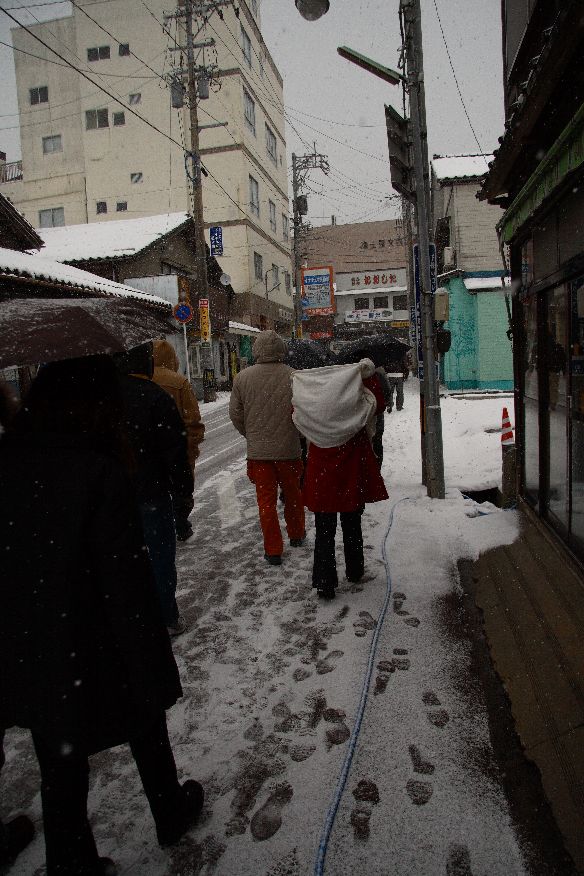
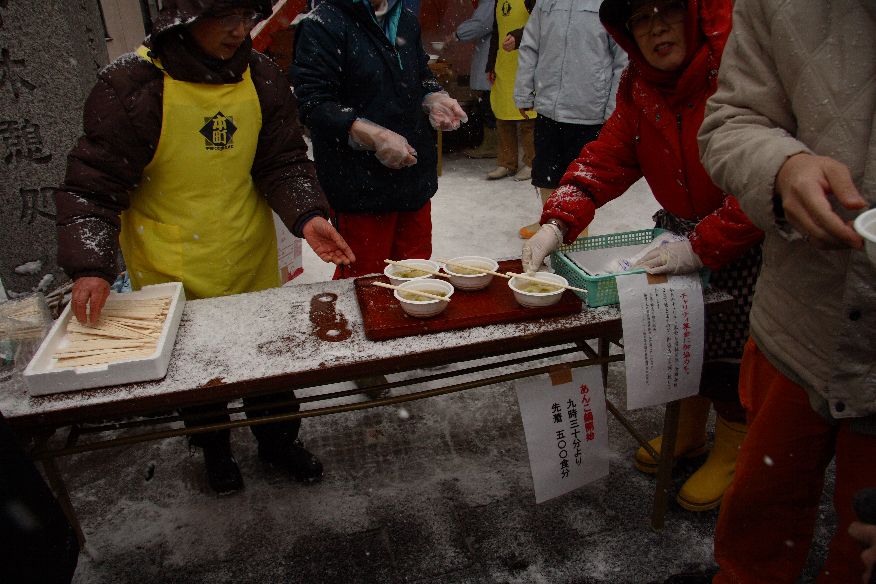
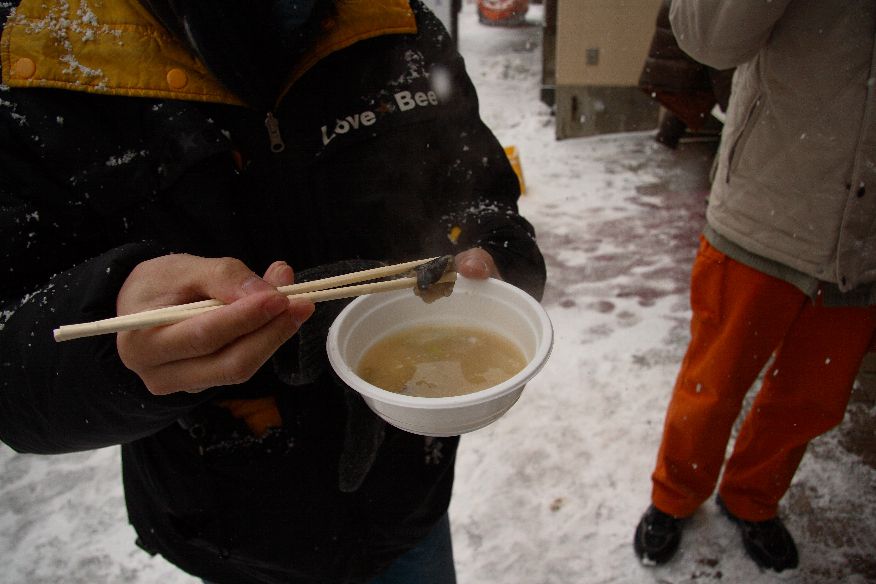
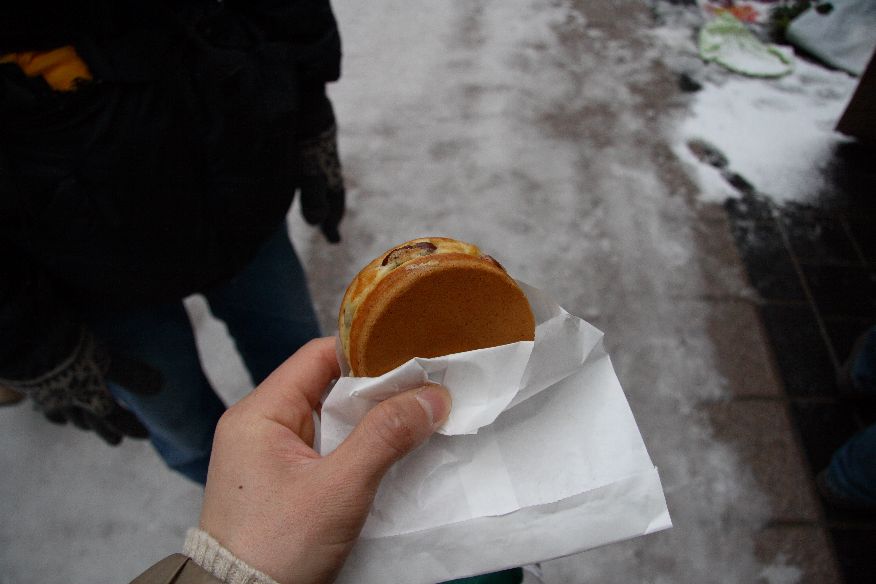

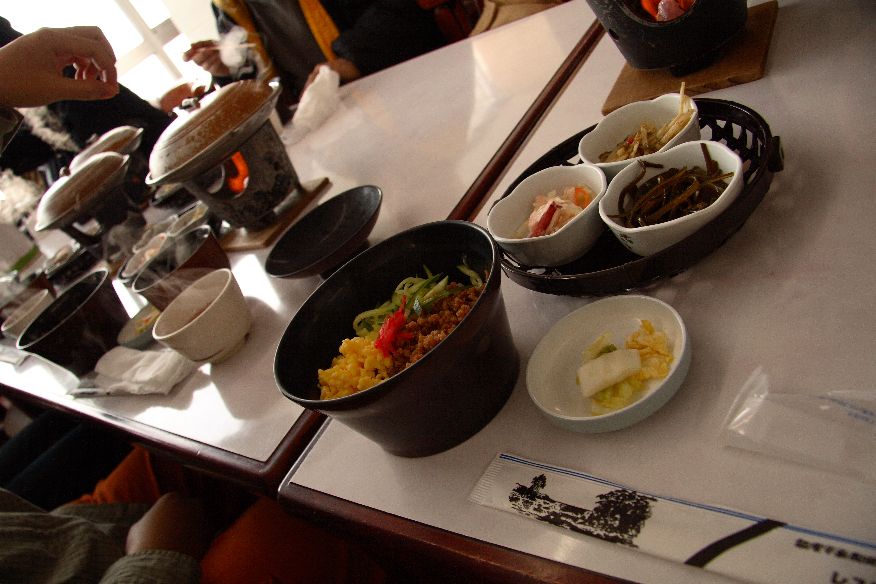
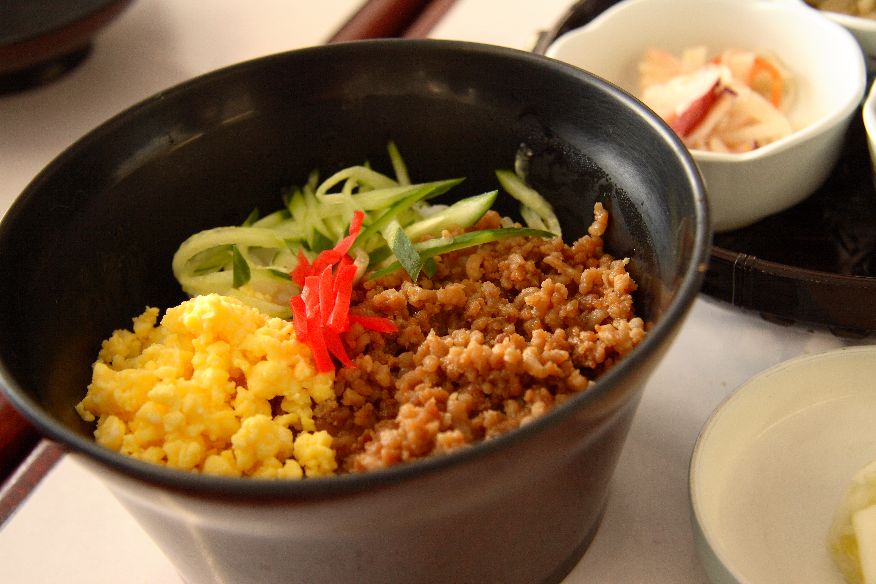
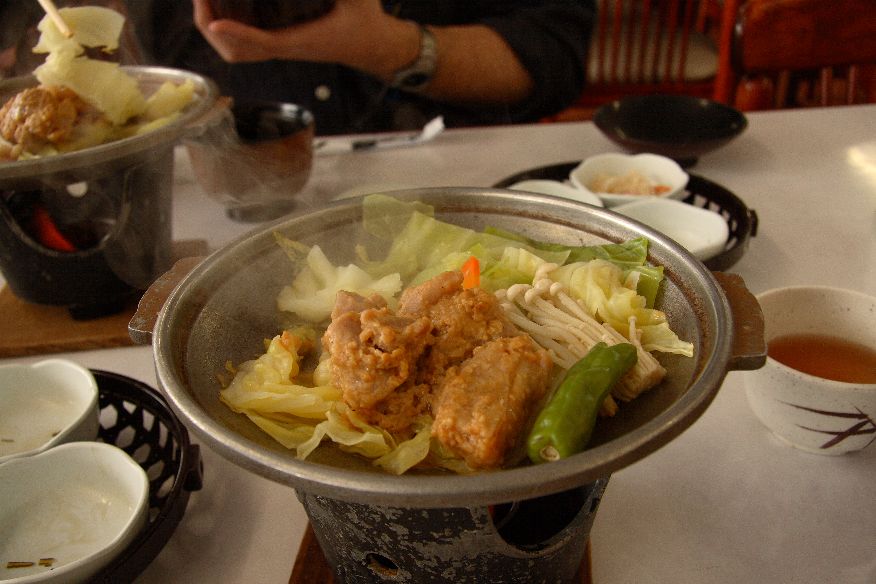
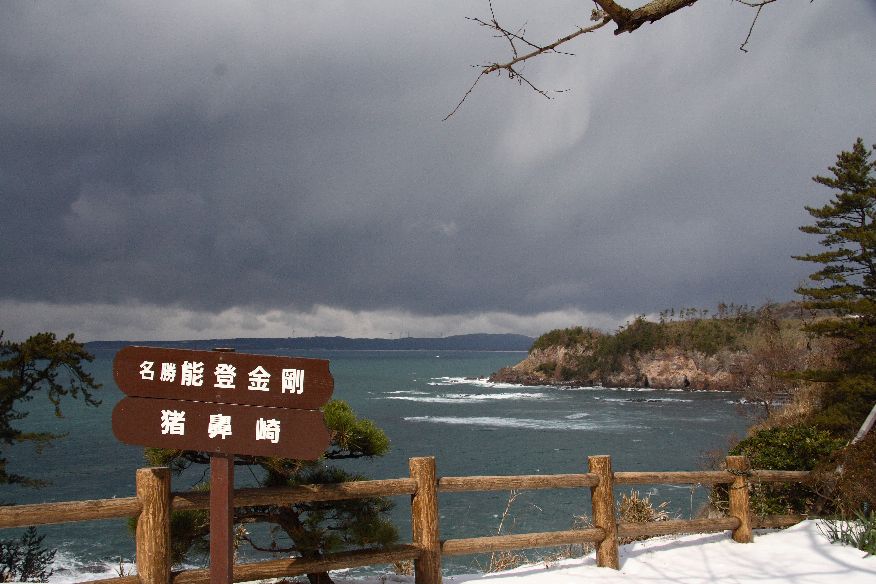


2009-02-17 :-)
_ 朝ッ
0500 起床
_ 仕事
0830 出勤。
_ [みとせのりこ]ライカのデジタルカメラが高すぎる
「銀色のライカ」を歌ってる人の声はクロノクロスで聴いたことがあるなあなどと思っている日々を過ごす。
- テン・プランツ2 1999/10/27(ヴォーカル1曲の参加)
- クロノ・クロス オリジナルサウンドトラック 1999/12/18(ヴォーカル数曲を担当)
あーなる
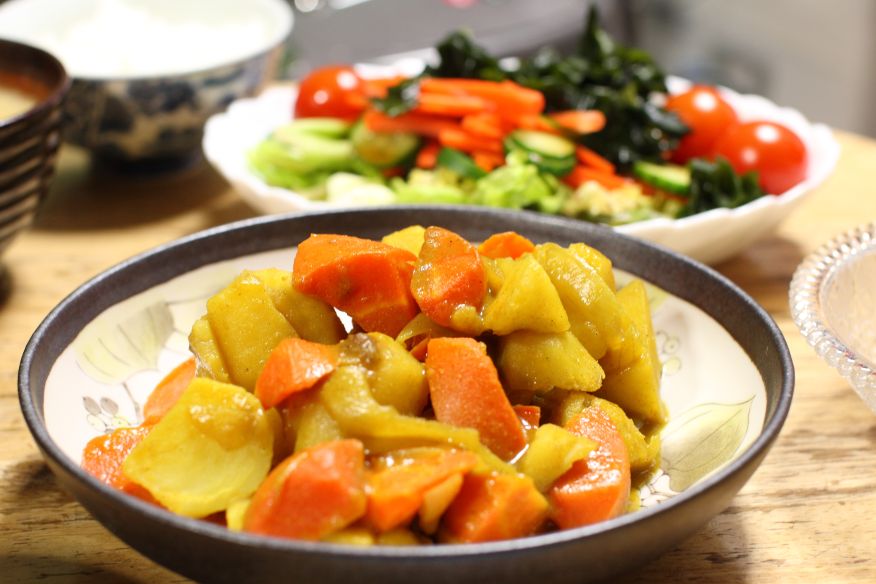
_ チョコを貰えないならば作ればいいじゃない
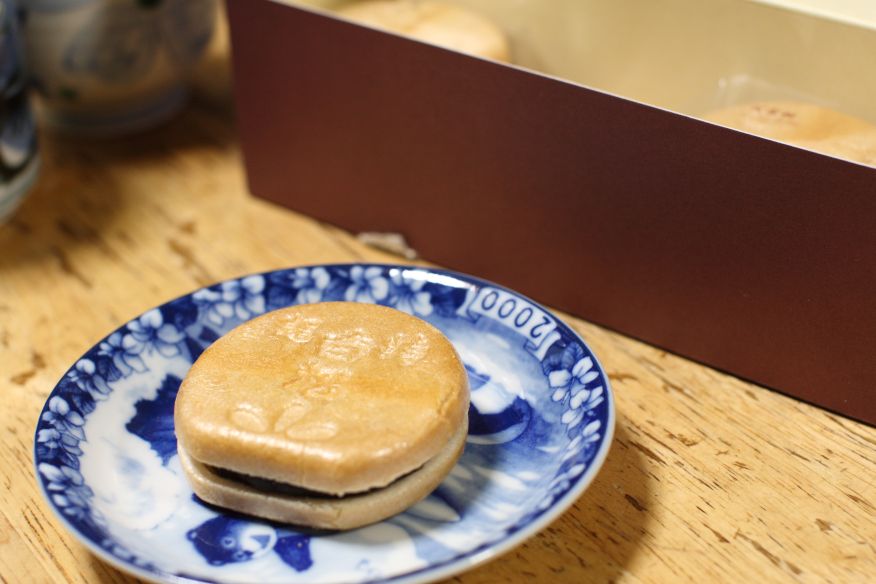
はい
2010-02-17 :-)
_ 朝ッ
0530 起床
_ 仕事
0830 出勤
_ [リッジレーサー7]リッジレーサー7 上には上ガイル
「オレってけっこう速くなったんじゃないの?」と調子に乗っても上級者たちと走れば打ちのめされる、というのが定番の流れ。じっさいたぶん けやきさんや ちくわさんには勝てないだろうなあ。ロングニトロやリバースチャージなんてまともに扱えないしスペシャルカーもほとんど操作できないのでリッジレーサー7 の大会があればボロ負けするレベル。
などといったことを チームANSのパフォーマンス動画を見ながら考えた。
_ C# と書こうとして C$ と書いた
^C$


_ [Windows][sc.exe]Windows の sc.exe
後輩のPCがBeep音鳴らしまくりで、いい加減頭に来たので「sc ¥¥PC名 stop beep」で消せないかなと思い、試しに実行してみたら普通に消せてしまった… (metaphorize)
sc.exe なんてのがあったのかー
2011-02-17 :-(
_ [NetBSD][翻訳][組み込み]BSD Newsletter: Building tiny systems with embedded NetBSD
組み込み向け小規模 NetBSD システムの構築
By Brian Rose
Overview (概要)
NetBSD is an extremely flexible operating system that is designed to be portable across various architectures. This feature makes it attractive for embedded developers. In this article, I will demonstrate a process for creating a very small kernel that can boot, either to a shell prompt or to a login screen.
NetBSD は様々なアーキテクチャに適用できるように設計されており、とても柔軟性に長けたオペレーティングシステムである。これにより組み込み開発者にはとても魅力的に映るのである。この文書では、とても小さいカーネルを作成し、ブートし、シェルプロンプトまたはログインスクリーンを表示するまでの作業過程を示す。
Booting to the shell prompt allows the developer to quickly give life to a system and perform some basic interactions. The shell itself can be a powerful management tool, combined with the right collection of programs. Doing this requires only the kernel and two binaries.
シェルプロンプトを起動できれば、開発者がシステムを手早く利用できるようなり、最低限の作業をおこなうことができるようになる。シェル身はとても強力な管理ツールで、いくつかのプログラムと組み合わせて使う。そのためにはカーネルと、2 つのバイナリーだけがあればよい。
Booting to a login prompt provides a little added security by controlling access to the machine. This would be useful in devices where the console can be accessed by the user, and you need to control what the user has access to. There are a few added files in this setup, and to keep things small, you will need to manually trim some of them. But this is still a very easy process.
ログインプロンプトは、計算機のアクセス制御のための仕組みをもたらす。通常、ユーザーはコンソールに接続されたデバイスからアクセスし、ユーザーがおこなえる範囲内で制御する。このセットアップでいくつかのファイルを追加し、小規模システムとするために多少の手作業が必要になる。でもほんとにほんの少しの作業である。
The minimum single user system (最小限のシングルユーザーシステム)
The first stage of embedded development usually involves getting a skeleton operating system up and running. Assuming you are using one of NetBSD many supported platforms, this is quite easy. I used a PC booting off of a floppy drive. But this method can also be easily adapted to handle diskless clients that boot off a network.
通常 組み込み開発の最初の段階はオペレーティングシステムを起動し、走らせるためのひな型を得ることだ。当然ながら多数のプラットフォームに対応した NetBSD のどれかのプラットフォームを使えばよろしい。じつに簡単だ。私はフロッピードライブから起動させるようにしている。ディスクレスクライアントでネットワークブートさせるように簡単に出来る。
At an absolute minimum, you will need the kernel, the /dev nodes for your system, and a /sbin/init file. You can craft the init program yourself, putting all of your application code into it. This may be a good solution when you only have one application that you would like to run.
最低でもカーネルと /dev と /sbin/init が必要だ。自分のアプリケーションを init として設置するのもよい。アプリケーション 1 つだけを走らせるならば、これは良い方法だ。
Another option is to use the stock init program and a shell to call your application. This is a bit easier than writing your own init program, and it also allows you to add functionality to your system by simply adding more tools from the stock system. The shell itself is a powerful tool that can make future development much easier. This is the method that will be illustrated here.
他に、init をストックしたり { ???? } シェルからあなたのアプリケーションを起動させるようにするのもアリだ。オレオレ init を書くよりは楽だし、ストックシステム { ???? } のツールから機能を追加することもできるようになる。シェルはとても強力なツールであり、開発作業をとても楽にすることができるだろう。図を参照。{ 図って???? }
Building the kernel (カーネルを構築する)
The first thing that needs to be done is to build a kernel with a built in ramdisk. The ramdisk will hold the kernel's root filesystem. A good kernel configuration to start with is the INSTALL_TINY configuration. This kernel has all the important stuff in it, without a lot of bloat. Make sure that it has the following lines in it.
最初にやることは、ramdisk 対応カーネルを構築することだ。ramdisk はカーネルの root ファイルシステムとして利用する。カーネルコンフィグファイル INSTALL_TINY が良い例になる。INSTALL_TINY カーネルは今回の作業に使うには充分だし、それほど肥大でもない。以下の行を追加する。
in sys/arch/[arch]/conf
sys/arch/[arch]/conf に移動して
$ cp INSTALL_TINY MYTINY
$ vi MYTINY
# Enable the hooks used for initializing the root memory-disk.
options     MEMORY_DISK_HOOKS
options     MEMORY_DISK_IS_ROOT         # force root on memory disk
options     MEMORY_DISK_SERVER=1        # make the ramdisk writeable
#options    MEMORY_DISK_ROOT_SIZE=2880  # 1.44M, same as a floppy
options     MEMORY_DISK_ROOT_SIZE=8192  # 4Meg
options     MEMORY_RBFLAGS=0            # don't force single user
This configuration includes ramdisk support, has the kernel boot from the ramdisk, allows the ramdisk to be written to, sets the size a 8192 sectors (512 bytes each), and allows the kernel to boot into multiuser mode (if the files are available).
この設定では、ramdisk に対応、ramdisk からのカーネル起動、ramdisk を書き込み可、8192 セクター (512 バイトごと) に設定、マルチユーザーモードで起動 (ファイル { どれ??? }が有効になっていれば) をおこなっている。
You will also need to check the ramdisk driver to make sure that it supports the MEMORY_RBFLAGS option. In my 1.6.0 system, it did not, so I needed to add the following code.
MEMORY_RBFLAGS オプションをつけて ramdisk ドライバ対応していることを確認すること。1.6.0 では対応してなかったので以下のコードを追加した。
in sys/dev/md_root.c
sys/dev/md_root.c を編集
 /*
  * This is called during open (i.e. mountroot)
  */

 ##  #ifndef MEMORY_RBFLAGS
 ##  #define MEMORY_RBFLAGS RB_SINGLE
 ##  #endif

 void
 md_open_hook(int unit, struct md_conf *md)
 {

     //            ............................... added code 追加したコード
     if (unit == 0 && (MEMORY_RBFLAGS & RB_SINGLE) ) {

     /* The root ramdisk only works single-user. */
     boothowto |= RB_SINGLE;
     }
 }
Once this is done, build your kernel.
編集したらカーネルをビルドする。
$ config MYTINY
$ cp ../compile/MYTINY
$ make depend; make
Creating the crunched binaries (クランチバイナリを作成する)
Although you could copy the binaries from your host into your mini filesystem, a more efficient way (sizewise) to do this is to use a utility called crunchgen. Many programs in the NetBSD system are linked statically. For example, each program that uses the utility library (libutil) has one copy of the library linked to it. Several programs on the system produce redundant copies of the libraries used by the programs. Crunchgen takes the programs' object files and merges them into one uber-program. This crunched binary is then linked to the libraries, so only one copy of the library is needed for the whole system.
といっても、あなたの小規模ファイルシステムのホスト { 「ホスト内のファイルシステム」じゃないのか???? }からバイナリをコピーしてくればよい。crunchgen と呼ばれるツールを利用すると簡単に出来る。NetBSD システムの多くのプログラムは静的リンクされている。たとえば、各々独自にユーティリティライブラリ (libutil) を静的リンクしている。プログラムが利用しているライブラリのコピーを NetBSD ではいくつか提供している。Crunchgen はプログラムのオブジェクトファイルを抽出し、1 つのプログラムとしてマージする。クランチされたバイナリは上述のライブラリ群とリンクされるので、動作させたいシステムにライブラリをコピーするだけで使えるようになる。
"But how do I use the different programs?", you ask. The answer lies in hard links. A hard link is like a filesystem's alias for a program. For example, If I have a program called print_my_error, I can link that to the alias myerr. Then when I invoke myerr, the filesystem simply follows the link and runs the program print_my_error. I can even make the two program names have slightly different behavior. This is done by having print_my_error look at argv[0] that is passed to the main() function. If it is myerr, then I can have it do a special task.
「別のプログラムでも使いたいんだけど?」とあなたは言うだろう。ハードリンクにヒントがある。ハードリンクはファイルシステムでプログラムの別名のようなものだ。たとえば、print_my_error というプログラムがあるとしよう。それを myerr というハードリンクにしたとする。で、myerr を実行すると、ファイルシステムはリンクを辿り、print_my_error を呼び出す。2 つの名前をつけておくことにより、異なる振る舞いをさせることができる。print_my_error の main() 関数の argv[0] を見て振る舞いを変えればよい。myerr として呼ばれたら別の処理をさせる。
This is how crunchgen works. It takes all of its constituent programs and globs them together. Then in the crunched binary's main routine, there is logic that examines argv[0] and calls the main routine for the appropriate constituent.
これが crunchgen の仕組みである。crunchgen はプログラム群の塊を生成する。crunchgen されたバイナリは、main 関数で argv[0] を評価し、塊に含まれている適切なプログラムを呼び出すのである。
To make a crunched binary, you need to know what binaries you want, where their sources are located, and what libraries they use. Once you settle on what binaries to use, simply search the /usr/src folder for the sources. The layout of /usr/src is straightforward. To look for the source for /sbin/init, you would look in /usr/src/sbin/init. To find the /usr/bin/login, go to /usr/src/usr.bin/login. To find out which libraries are used, open up the program's Makefile, and look for the LDADD lines. You should see entries like "-lutil -lcrypt".
crunchgen されたバイナリを作成するには、どのバイナリを含めるのかを決め、そのソースの場所と、それらが使用するライブラリを把握する必要がある。バイナリを決めたら、/usr/src フォルダでソースを探してみよう。/usr/src 以下の配置は簡単だ。/sbin/init のソースを探すならば /usr/src/sbin/init にある。/usr/bin/login のソースは /usr/src/usr.bin/login にある。プログラムが利用しているライブラリを見つけるにはプログラムの Makefile を見よう。LDADD の行に "-lutil -lcrypt" などというふうに書いてあるはずだ。
Sometimes, programs in the NetBSD distribution are simply hardlinks to another program. For example, mount_mfs is an alias for newfs. You will find no /usr/src/sbin/mount_mfs directory. So how do you find out where the sources are for mount_mfs? Search through the makefiles for "LINKS= ${BINDIR}/newfs ${BINDIR}/mount_mfs". This shows you that the Makefile will link mount_mfs to newfs.
NetBSD の配布物ではあるプログラムが別のプログラムのハードリンクになっていることがある。たとえば mount_mfs は newfs の別名だ。/usr/src/sbin/mount_mfs というディレクトリは無いのである。では mount_mfs のソースはどこにあるのか? Makefile の "LINKS= ${BINDIR}/newfs ${BINDIR}/mount_mfs" に注目。mount_mfs は newfs へのリンクであることが分かる。
$  find /usr/src -name Makefile -exec grep mount_mfs {} \;
MAN=    newfs.8 mount_mfs.8
LINKS=  ${BINDIR}/newfs ${BINDIR}/mount_mfs
MLINKS= mount_mfs.8 mfs.8
Armed with this information, you can now create your crunchgen configuration file. This is just a list of the above information. There are some additional features, which I will outline below.
なお、crunchgen のための設定ファイルを作ることができる。といっても先ほど説明した内容をリストにするだけである。以下では多少の機能を追加してある。
srcdirs /usr/src/bin /usr/src/sbin

progs init sh reboot ls

ln sh -sh

special init objpaths /usr/src/sbin/init/obj/init.smallprog.o


# libraries used by the programs
# ---------------- Minimum single user files
# init : -lutil -lcrypt
# sh : -ll -ledit -ltermcap
# ---------------- Useful utilities
# ls : -
# reboot : -lutil
#
libs -lutil -lcrypt -ll -ledit -ltermcap
The first line tells crunchgen where to look for sources. It looks for the sources by appending the program name onto the listed directories. The progs line is the list of programs that you want included in your binary. The ln lines tell crunchgen about aliases that are used for some of the programs. The shell is sometimes invoked as -sh, so the crunched binary will recognize "-sh" as "sh". Also, as noted above, some binaries are simply aliases for other programs. The crunched binary needs to be on the lookout for these aliases as well.
最初の行は crunchgen がソースを探す場所を示している。このディレクトリにプログラム名を付加したディレクトリから探す。progs 行はバイナリに含めるプログラムを列挙する。crunchgen の別名とするプログラム名となる。シェルは -sh として実行されることがあるので "-sh" と "sh" と書けるのである。また、あるプログラムの別名となっているプログラムについても crunchgen は適切に別名を探してくれる。
The special line tells crunchgen that init should not be built from source, but rather just use the specified object file. In this case, I built the init program with the SMALLPROG #define, so I don't get the annoying "Enter pathname of shell or RETURN for sh:" prompt when the system starts in single user mode. Instead, it will silently drop to the shell prompt. To do this, I build my special init program this way.
special 行は crunchgen が init がソースからビルドされるわけではなく、オブジェクトファイルが使用されることを示している。今回は SMALLPROG を #define 定義してプログラムをビルドした。これにより、シングルユーザーモードでシステムが起動したときに "Enter pathname of shell or RETURN for sh:" という鬱陶しいアレを見ずに済む。その代わり、すぐにシェルプロンプトへ入る。これをやるために以下のように init プログラムに特殊な変更を施した。
$ cd /usr/src/sbin/init
$ make -D SMALLPROG
$ cp obj/init.o obj/init.smallprog.o
This functionality makes it easy to customize your system without too much trouble. You could create a customized version of a standard program and use that in your embedded builds, while keeping the original for other purposes.
こうすることでシステムへの悪影響を少なくしてカスタマイズできる。組み込みシステムで使うために標準的なプログラムをカスタマイズするならば、オリジナルは保存しておくように。
Finally, the last line tells crunchgen which libraries to link to. Again, you can get this information by looking through the Makefiles for the constituent programs and noting the LDADD lines. I've had trouble with library ordering, so if you have errors indicating unresolved externals, and you know you included the library, try moving the "missing" library closer to the front of the list. This worked for me.
最後の行は crunchgen がリンクするライブラリを示している。前述したとおり、どのライブラリが使われるのかという情報は、各プログラムの Makefile の LDADD 行に書いてある。私が作業したときはライブラリを探す順番でトラブルがあったのだが、もしあなたが未解決の外部参照エラーに見舞われた場合は、ライブラリの行からライブラリを外して試すとよい。私はそうした。
Once your crunchgen file is crafted, build it with the following commands. The finished executable will be named after your conf file, but without the conf extension.
これで crunchgen ファイルが使えるようになった。以下のコマンドを実行してビルドしよう。ビルドが完了すると、設定ファイルの .conf を省いた名前でバイナリが生成される。
$ crunchgen -m Makefile mytiny.conf
$ make -f Makefile objs exe
_ [NetBSD][翻訳][組み込み]BSD Newsletter: Building tiny systems with embedded NetBSD (page 2)
組み込み向け小規模 NetBSD システムの構築(ページ2)
Creating the filesystem image (ファイルシステムイメージを作成する)
Now that our binaries are all wrapped up, the next thing to do is to populate the filesystem. This involves linking all the programs to the crunched binary and copying or creating the necessary data files. This is easily done with the following commands. Don't forget to set the permissions to root:wheel!
これでバイナリは準備できた。次はファイルシステムに取り掛かろう。これは全てのプログラムを crunche されたバイナリとしてリンクしたり、データファイルをコピー、作成することも含まれる。以下のコマンドを実行するだけの簡単な仕事だ。パーミッションを root:wheel に設定しておくこと。
$ mkdir files/bin files/sbin files/dev

$ cp /dev/MAKEDEV files/dev
$ cd files/dev
$ ./MAKEDEV floppy ramdisk wscons
$ cd ../..

$ cp work/mytiny files/sbin/init
$ ln files/sbin/init files/bin/sh
$ ln files/sbin/init files/bin/ls
$ ln files/sbin/init files/sbin/reboot

$ su root
# chown -R root:wheel files
# exit
With the filesystem populated, we can wrap it up into an image file that can be embedded into a kernel. This is done with the makefs command. This tool lets you take a directory and bundle it up into a single file. Make sure that your size is not larger than the size you specified in your kernel configuration. Once the image is created, link it to the kernel with the mdsetimage command. Your kernel is now ready to go!
ファイルシステムが準備できたらイメージファイルをカーネルに組み込もう。これは makefs コマンドを実行するだけだ。makefs はディレクトリを 1 つのイメージにまとめるツールだ。カーネルに設定したサイズ { カーネルサイズか } よりも大きくならないように注意すること。イメージが作成できたら mdsetimage コマンドでカーネルにリンクする。これでカーネルは準備完了だ。
You can compress your kernel if you like. The standard NetBSD bootloader knows how to decompress gzipped kernels. Remember, your spartan OS includes 4 megabytes of mostly empty space in the filesystem. I compressed my kernel down to 825,544 bytes.
必要であればカーネルを圧縮することができる。NetBSD 標準の bootloader は gzip されたカーネルに対応している。NetBSD のファイルシステムには 4MB の空き領域がある {????????????}。私はカーネルを 825,544 byte まで圧縮した。
# makefs -s 4m -t ffs crunch.image files
# mdsetimage netbsd.ramdisk crunch.image
# gzip -c netbsd.ramdisk > netbsd
# ls -l netbsd
-rw-r--rw-  1 brose  users  825544 Aug 24 22:28 netbsd
When you boot this kernel, you will see the normal output and then it will present you with a shell prompt. At that time, you can do whatever it is you need to do. My example will let you move around the file structure, list the contents with ls, and reboot. Not very useful, but it is a good starting point.
カーネルがブートすると、見慣れた起動メッセージが表示されたあとに、シェルプロンプトが表示される。そうしたら、あなたはやりたいことをやれるようになる。ファイルシステムを歩いて中身を眺めたり、reboot するとよい。まあ一般的ではないけど第一歩としては悪くない。
The minimum multi user system (小規模マルチユーザーシステム)
A multi user system is built in the same manner, but you need a few extra programs and data files. I also use the standard init program. Notice that I commented out the special init line, so that I use the stock init for the multiuser configuration. You may want to go back to your init source and make a fresh init, just in case the .o files are from your single user build.
マルチユーザーシステムは、多少のプログラムとデータファイルを追加するだけで先ほどと同じように作成できる。今回も標準 init プログラムを使う。special 行の init をコメントアウトした。マルチユーザーの設定で使うためだ。.o ファイルがシングルユーザー用にビルドしたものなので、init のソースへ行って make しなおそう。
$ cd /usr/src/sbin/init
$ make clean; make
Here's my crunchgen configuration.
crunchgen 設定ファイルはこう。
srcdirs /usr/src/bin /usr/src/sbin /usr/src/usr.bin /usr/src/usr.sbin /usr/src/libexec

progs init mount newfs mount_ffs sh ttyflags getty pwd_mkdb passwd login reboot ls

ln sh -sh
ln newfs mount_mfs

# special init objpaths /usr/src/sbin/init/init.smallprog.o

# libraries used by the programs
# ---------------- Minimum single user files
# init : -lutil -lcrypt
# mount :
# newfs : -lutil
# mount_ffs :
# sh : -ll -ledit -ltermcap
# ---------------- Minimum multiuser files
# ttyflags :
# getty : -lutil -ltermcap
# pwd_mkdb : -lutil
# passwd : -lrpcsvc -lcrypt -lutil -lkrb5 -lcrypto -lasn1 -lcom_err -lroken
# login : -lutil -lcrypt  -lskey  -lkrb5 -lasn1  -lkrb -lcrypto -lroken -lcom_err
# ---------------- Useful utilities
# ls :
# reboot : -lutil
# umount :
#
libs -lutil -ll -ledit -ltermcap -lcrypt -lrpcsvc -lkrb5 -lkrb -lcrypto -lasn1 -lcom_err -lroken -lskey
And my shell commands for populating the filesystem.
ファイルシステムを作成するためのシェルコマンドはこう。
mkdir files/bin files/sbin files/usr files/etc files/var files/dev files/tmp files/root files/home
mkdir files/usr/bin files/usr/sbin files/usr/libexec
mkdir files/var/run files/var/db files/var/crash
mkdir files/usr/share
mkdir files/usr/share/misc

cp /dev/MAKEDEV files/dev
cd files/dev
./MAKEDEV floppy ramdisk wscons
cd ../..

echo "/dev/md0a / ffs rw 1 1" > files/etc/fstab

echo "echo Initializing system..." > files/etc/rc
echo "export PATH=/sbin:/bin:/usr/sbin:/usr/bin" >> files/etc/rc
echo "mount -ua" >> files/etc/rc
echo "ttyflags -a" >> files/etc/rc

cp work/mytiny files/sbin/init
ln files/sbin/init files/bin/ls
ln files/sbin/init files/sbin/mount
ln files/sbin/init files/sbin/mount_ffs
ln files/sbin/init files/sbin/mount_mfs
ln files/sbin/init files/sbin/umount
ln files/sbin/init files/bin/sh

ln files/sbin/init files/usr/libexec/getty
ln files/sbin/init files/sbin/ttyflags
ln files/sbin/init files/sbin/pwd_mkdb
ln files/sbin/init files/usr/bin/passwd
ln files/sbin/init files/usr/bin/login
ln files/sbin/init files/sbin/reboot
ln files/sbin/init files/sbin/newfs

cp /etc/ttys files/etc
cp /etc/master.passwd files/etc
cp /etc/pwd.db files/etc
cp /etc/spwd.db files/etc
cp /etc/passwd files/etc
cp termcap.mini files/usr/share/misc/termcap
cp /etc/gettytab files/etc
The termcap.mini file is simply a hand trimmed version of the termcap file. This is used by the getty program when initializing the console. Since it is very large (over 500k) and most of it is useless, you can trim out the terminal types that you don't use. I trimmed mine down to about 8k.
termcap.mini ファイルは termcap ファイルを仕分けしたものだ。これは getty プログラムがコンソールを初期化するときに使う。元は 500KB 以上あるのだが、ほとんどの設定は使わない。あなたも使用しないターミナル設定を削っておくとよい。私は 8KB まで削った。
Once you have done this, simply place this filesystem into a kernel and boot. As you can see, a multi user setup is a bit larger. But most of the extra space is from incorporating the extra libraries for the login and getty programs. As you add more code to the system, your code growth should not be as dramatic.
これが終わったらカーネルにファイルシステムを組み込んでブートしよう。マルチユーザーの設定なので大きくなっている。これは login と getty プログラムとそれらのライブラリを含めたためだ。さらにコードを追加したとしても、それほど劇的にサイズは大きくならないだろう。
# makefs -s 4m -t ffs crunch.image files
# mdsetimage netbsd.ramdisk crunch.image
# gzip -c netbsd.ramdisk > netbsd
# ls -l netbsd
-rw-r--rw-  1 brose  users  1066057 Aug 24 22:28 netbsd
Brian Rose is an electrical engineer who has developed embedded software for the telecom and video distribution industries. He is currently on involuntary hiatus (layoff) and pondering the benefits of being a scuba instructor at Mexican resorts.
Brian Rose は通信機器やビデオ配信機器の組み込みソフトウェアを開発している電気技術者である。彼はいま一時休業中であり、メキシコのリゾート地でスキューバのインストラクターをしている。
Copyright (C) 2003 by Brian Rose, all rights reserved.
Reproduced by BSD Newsletter.com with permission of the author.
RELATED INFO
2012-02-17 :-(
_ 夜
1845 宴会


_ bundle install アレ
hsbt さんからツッコミを頂いた[ 20120215#c01 ]
% bundle install --path ~/.bundle --without development
Fetching source index for http://rubygems.org/
Using rake (0.9.2.2)
Using addressable (2.2.6)
Using mime-types (1.17.2)
Using nokogiri (1.5.0)
Using rack (1.4.1)
Using rack-test (0.6.1)
Using ffi (1.0.11)
Using childprocess (0.3.0)
Using multi_json (1.0.4)
Using rubyzip (0.9.5)
Using selenium-webdriver (2.17.0)
Using xpath (0.1.4)
Using capybara (1.1.2)
Using net-http-digest_auth (1.2)
Using net-http-persistent (1.9)
Using webrobots (0.0.13)
Using mechanize (2.0.1)
Using capybara-mechanize (0.3.0.rc3)
Using coffee-script-source (1.2.0)
Using execjs (1.3.0)
Using coffee-script (2.2.0)
Using diff-lcs (1.1.3)
Installing hike (1.2.1)
Installing launchy (2.0.5)
Installing rspec-core (2.8.0)
Installing rspec-expectations (2.8.0)
Installing rspec-mocks (2.8.0)
Installing rspec (2.8.0)
Installing simplecov-html (0.5.3)
Installing simplecov (0.5.4)
Installing tilt (1.3.3)
Installing sprockets (2.3.0)
Installing thor (0.14.6)
Installing tapp (1.3.0)
Installing test-unit (2.4.5)
Using bundler (1.0.15)
Your bundle is complete! It was installed into /home/rin/.bundle
ヽ( ´ー`)ノ
2013-02-17 :-)

_ [リッジレーサー7]リッジレーサー7 ARC 2012 如月GP
ペアバトル
とりあえずルームを作成してみたものの案内を投げたひとたちが軒並み不参加であり「人数揃わなかったらどうしましょう (´・ω・`)」と泣きそうになったんだが背に腹は代えられないので、ルームを公開にし、オンラインのフレンド且つリッジレーサー7をプレイしているひとに招待を投げまくり、skype でジャクチョーさんと rosso さんに声をかけるなどして人数をかき集めた。結局最大 14 人集まったりした。
もはや ARC と呼べるのかどうかアレだけど、ARC ということにしておく (´・ω・`)
公開ルームなので非フレンドも何人か居たので、フレンドや馴染みあるひとのみを集計した。勝手に。
- STARGOLD 188
- ANSΩmiwarin 185
- rosso 148
- axl Rose 146
- ガンマ 138
- KYO 133
- GREENOGRE 119
- ジャクチョーGちゃん 112
- ANSΩFryght 95
途中 EO 限定レースがあったんだがガイジンも居たのでリバースチャージを警戒して EO やめた。スンマセン。
日曜日の夜なのになんとか人数が揃ったからよかったものの、全然人数が揃わなかったら目も当てられないことになるところだった (´Д`;)
運が良かったとしか言いようがない (´Д`;)
2014-02-17 :-(
_ 午後
1300 デバッグしTARI
_ ,
むしろ葛西紀明がまだ現役だったことに驚いた。レジェンド
_ [Java][Ruby][マルチスレッド][デザインパターン]Java言語で学ぶデザインパターン入門マルチスレッド編 Balking - 必要なかったら、やめちゃおう
仕事しようとして条件が満たされてなかったら保留。
- もういいかい?
- まだだよ ←ガード
- もういいかい?
- まだだよ ←ガード
- もういいかい?
- もういいよ
# coding: utf-8

#
# 『増補改訂版Java言語で学ぶデザインパターン入門マルチスレッド編』 http://www.hyuki.com/dp/dp2.html
#
# Balking - 必要なかったら、やめちゃおう
#

require 'thread'
require 'monitor'

class BData
  def initialize(filename, content)
    @filename = filename
    @content = content
    @changed = true
    @lock = Monitor.new()
  end

  def change(newContent)
    @lock.synchronize {
      @content = newContent
      @changed = true
    }
  end

  def save()
    @lock.synchronize {
      if @changed == false
        return
      end
      doSave()
      @changed = false
    }
  end

  def doSave()
    puts "#{Thread.current} calls doSave, content = #{@content}"
    File.open(@filename, "wb") {|f|
      f.write(@content)
    }
  end
end

class ChangerThread < Thread
  def initialize(name, data)
    @data = data
    @random = Random.new()

    block = Proc.new {
      i = 0
      begin
        while true
          @data.change("No. #{i}")
          sleep(1)
          @data.save()
          i += 1
        end
      rescue => ex
        puts ex
      end
    }
    super(&block)
  end

end

class SaverThread < Thread
  def initialize(name, data)
    @data = data

    block = Proc.new {
      begin
        while true
          @data.save()
          sleep(2)
        end
      rescue => ex
        puts ex
      end
    }
    super(&block)

  end
end

def main(argv)
  th ||= []
  data = BData.new("data.txt", "(empty)")
  th << ChangerThread.new("ChangerThread", data)
  th << SaverThread.new("SaverThread", data)
  th.each {|t| t.join() }
end

main(ARGV)
>ruby Balking.rb
#<SaverThread:0x000000002fbdb8> calls doSave, content = No. 0
#<ChangerThread:0x00000002b7e218> calls doSave, content = No. 1
#<SaverThread:0x000000002fbdb8> calls doSave, content = No. 2
#<ChangerThread:0x00000002b7e218> calls doSave, content = No. 3
#<SaverThread:0x000000002fbdb8> calls doSave, content = No. 4
#<ChangerThread:0x00000002b7e218> calls doSave, content = No. 5
#<SaverThread:0x000000002fbdb8> calls doSave, content = No. 6
#<ChangerThread:0x00000002b7e218> calls doSave, content = No. 7
#<SaverThread:0x000000002fbdb8> calls doSave, content = No. 8
#<ChangerThread:0x00000002b7e218> calls doSave, content = No. 9
#<SaverThread:0x000000002fbdb8> calls doSave, content = No. 10
#<ChangerThread:0x00000002b7e218> calls doSave, content = No. 11
#<SaverThread:0x000000002fbdb8> calls doSave, content = No. 12
ライセンス
Copyright (C) 2002,2006 Hiroshi Yuki.
http://www.hyuki.com/dp/dp2.html
hyuki@hyuki.com

This software is provided 'as-is', without any express or implied warranty.
In no event will the authors be held liable for any damages
arising from the use of this software.

Permission is granted to anyone to use this software for any purpose,
including commercial applications, and to alter it and redistribute it freely,
subject to the following restrictions:

1. The origin of this software must not be misrepresented; you must not claim
that you wrote the original software. If you use this software in a product,
an acknowledgment in the product documentation would be appreciated but is not
required.

2. Altered source versions must be plainly marked as such, and must not be
misrepresented as being the original software.

3. This notice may not be removed or altered from any source distribution.
参考
『増補改訂版Java言語で学ぶデザインパターン入門マルチスレッド編』
4797331623
_ ドッグフードを食べる
Windows NT 開発時のデビッド・カトラーによるメソッドなわけだが
デビッド・カトラー コンピュータ偉人伝 ちえの和WEBページ
ドッグフードを食べる
WindowsNTの最初のバージョンは560万ステップにおよぶコードが書かれたという話だ。その想像を絶する開発の内輪話は参考文献で読んでほしい。 NTの開発には当初OS/2環境が使われていたが、NTのカーネルの部分ができてくると、 NTの開発にNTを使うようにしたらしい。こうするとイヤでもバグを直さざるをえないからだ。このことをドッグフードを食べるといったらしい。それと、毎日その日までのバージョンをビルドするということをカトラーはやった。こうしたことは我々にも非常に参考になる。
「ドッグフードを食べましょう」と云うからには開発コードはもちろんそうだし、自分たちが世に送り出した製品も自分で使っているのは当たり前 なわけですが、まったくそのようになっていないので食べます。といったことを上司に投げるなど。
_ ,
mixi も Twitter もやめた友人が Tumblr には住み着いている。Tumblr は最後の楽園である。
_ ,
tabesugi.net のひとが英語で日記を書くようになってから 2, 3 年経過した。あのひとのエアメールをもらうのが楽しみなので欠かさずにチェックしないといけない( MUST ) 会ったことないけど
2015-02-17 :-)
_ 午後
1300 艦これ
_ [健康診断][健康]健康診断してきた
- 身長 165.5cm
- 体重 52.7kg
- 視力 右0.1 左0.2
最近筋トレしてるので体重が 57kg くらいに増えてるだろうと予想していたんだがだいぶ少なかった。
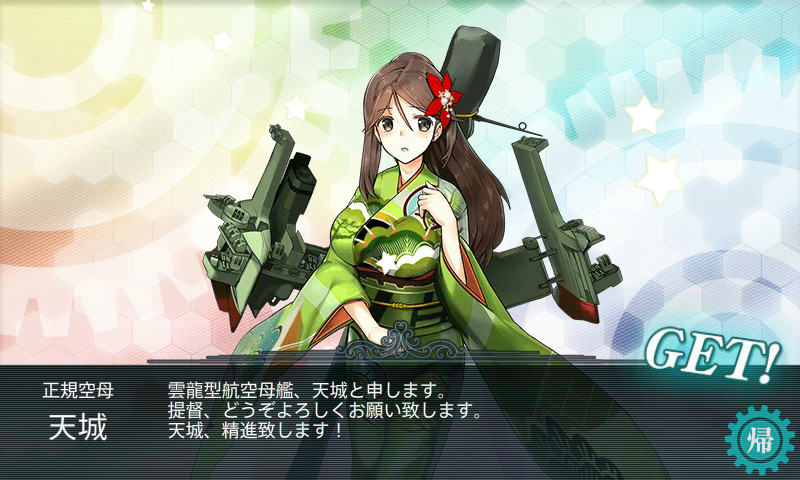
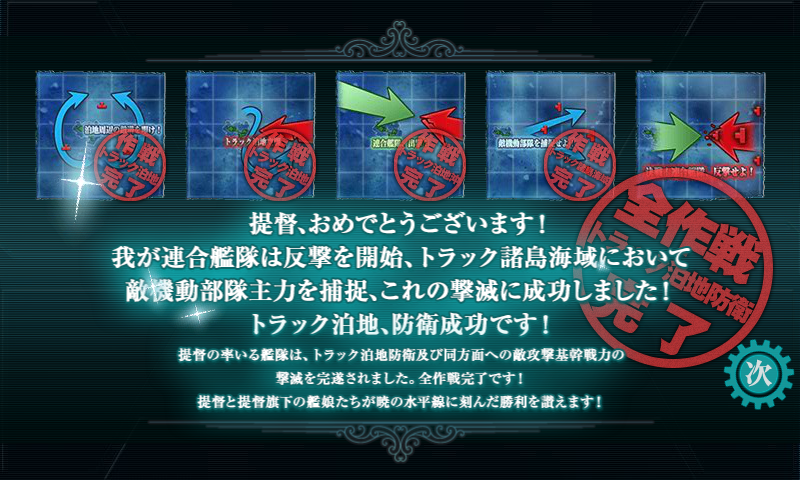
_ [艦これ]艦これ 2015冬イベント 迎撃!トラック泊地強襲 E5 トラック諸島海域「決戦!連合艦隊、反撃せよ!」
「我が連合艦隊、その全洋上戦力を以て反撃に転じ、敵攻略部隊主力と交戦、これを撃滅せよ!」
丙でクリア。
前哨戦は軽空母編成。軽空母に烈風ガン積みで置物化。支援は決戦支援のみ。決戦支援のキラ付けは旗艦は維持し、他は適当にやってたんだけど、随伴艦もキラ付いてると命中率が全然違う。全員キラ付けしとくべきだった。
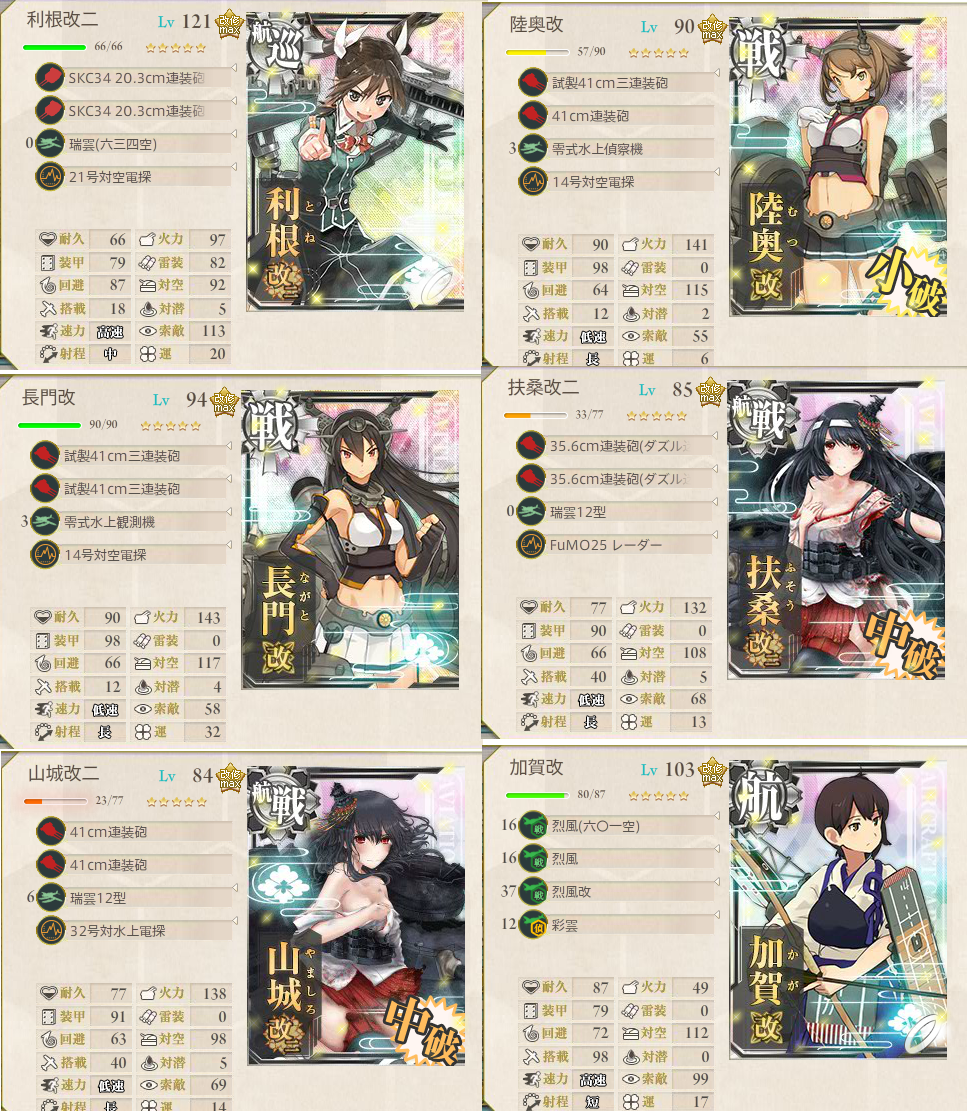
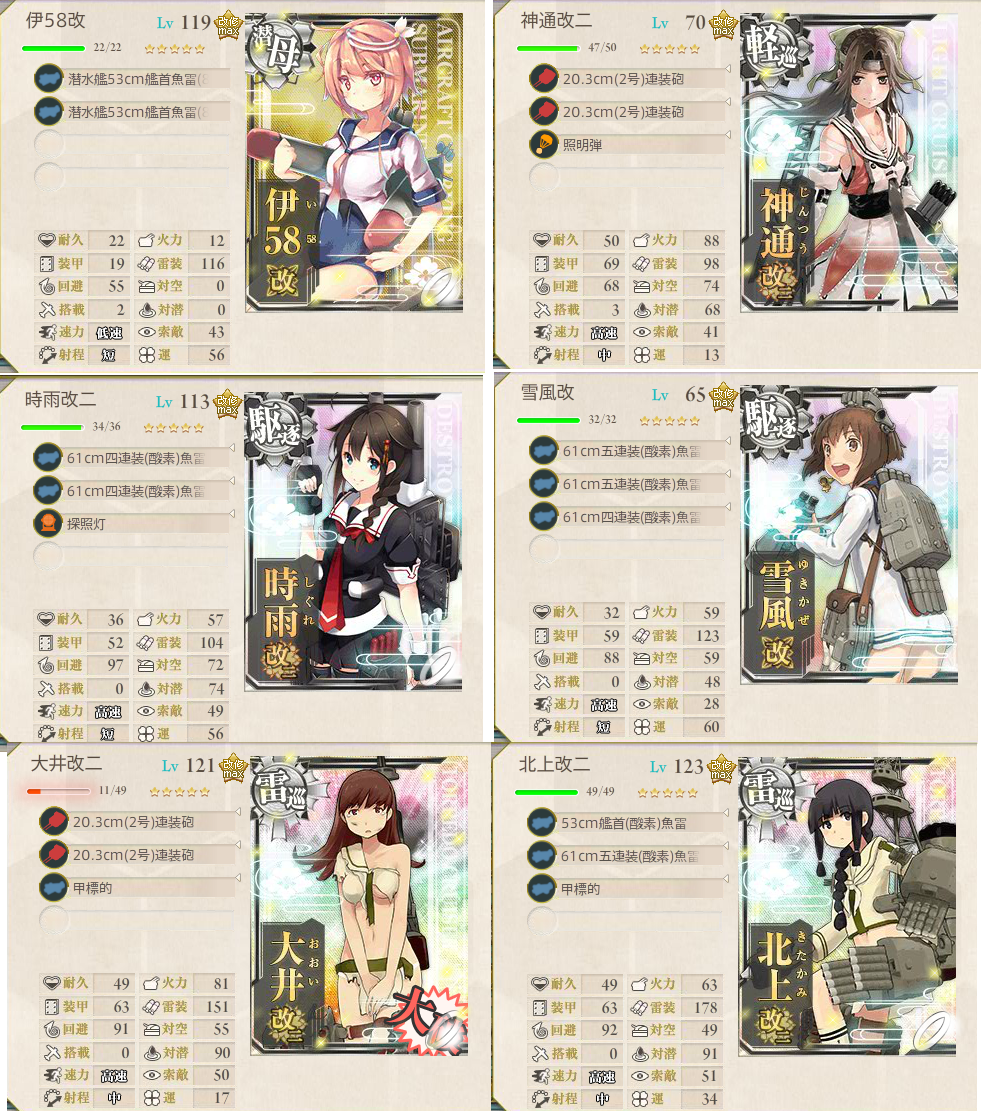
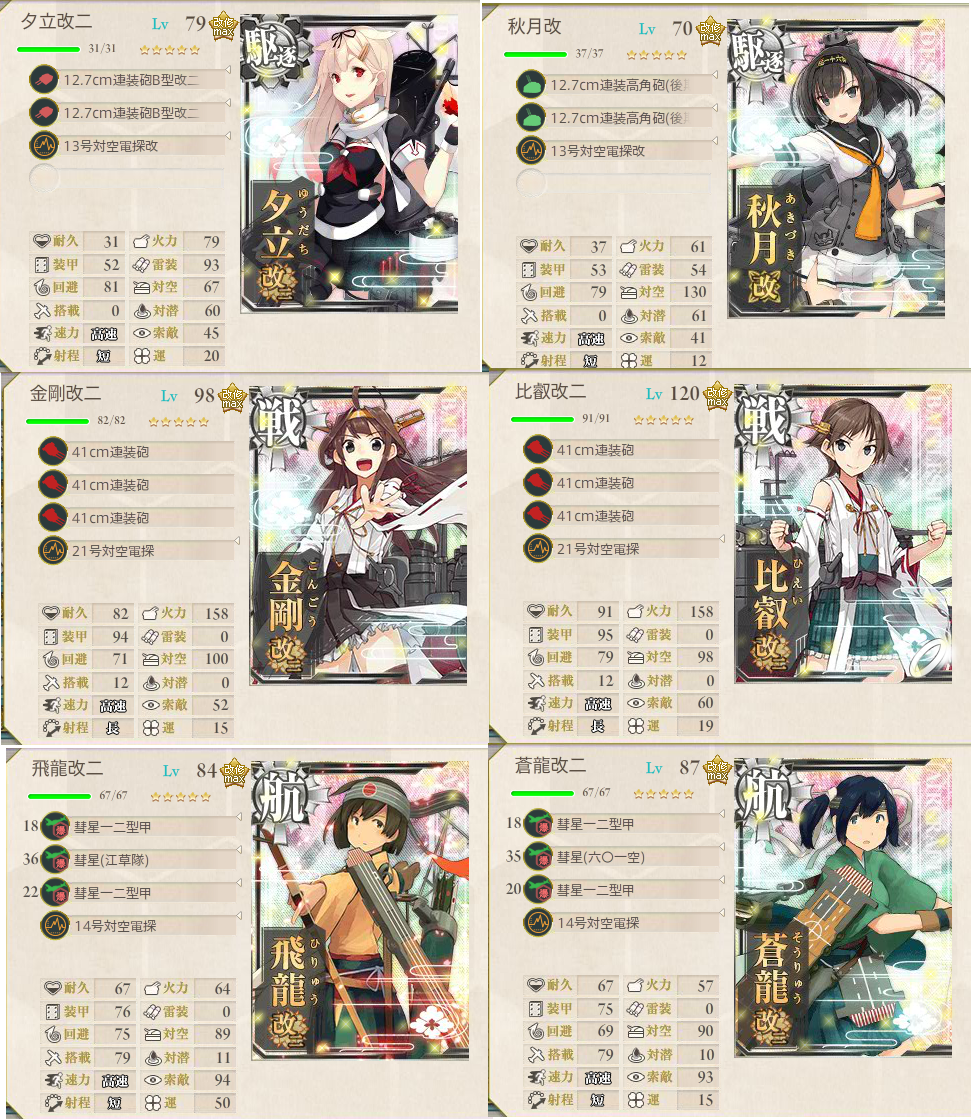
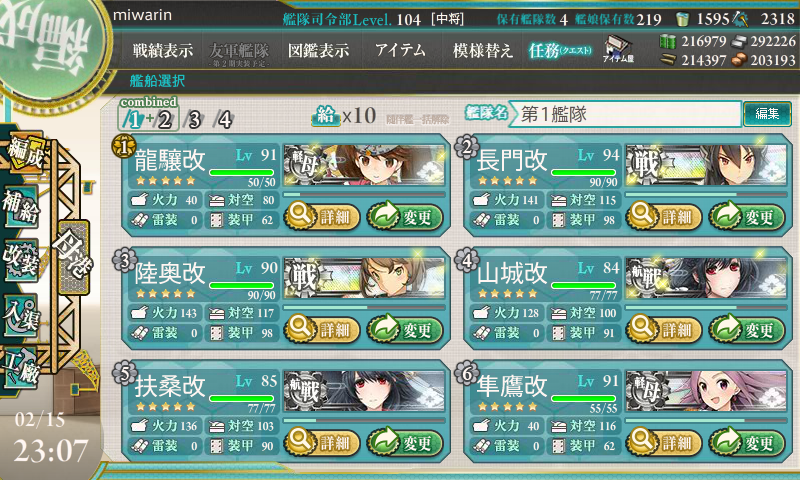
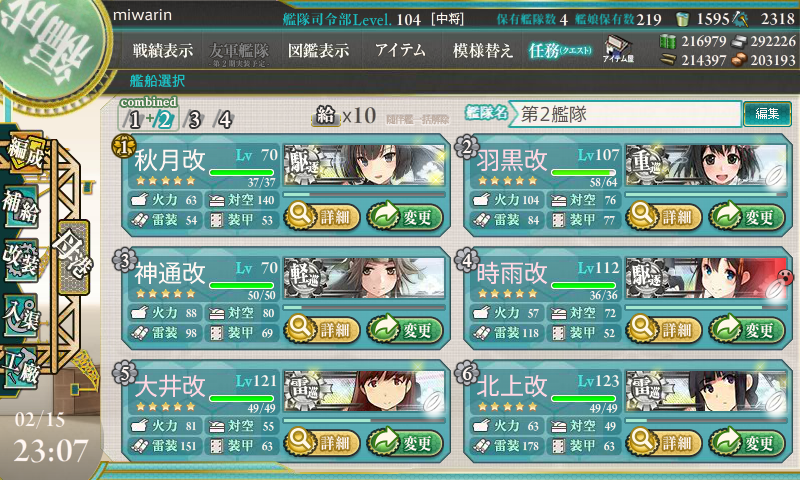
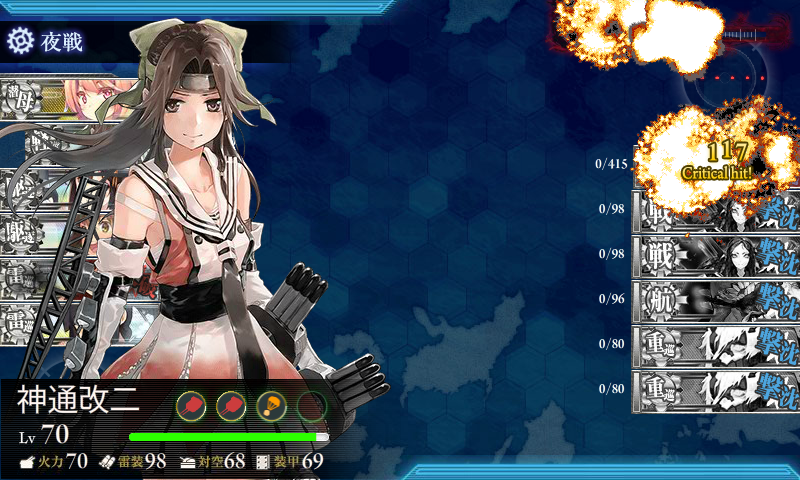
ゲージ削りきってからの決戦は以下の編成。支援も含めて全員二重にキラ付け。最初は明石(ルート固定要員)を入れていたんだけど長門やら扶桑やら北上様やらの大破による道中撤退が 3 回続いたので、気分転換として潜水艦(これもルート固定)編成としたところ、これで 1 回でボスへ到達。撃破。丙はダイソンが居ないのでボス戦は苦戦しなかった。
決戦。編成は水上打撃部隊。第一艦隊
決戦。第二艦隊
決戦。道中支援
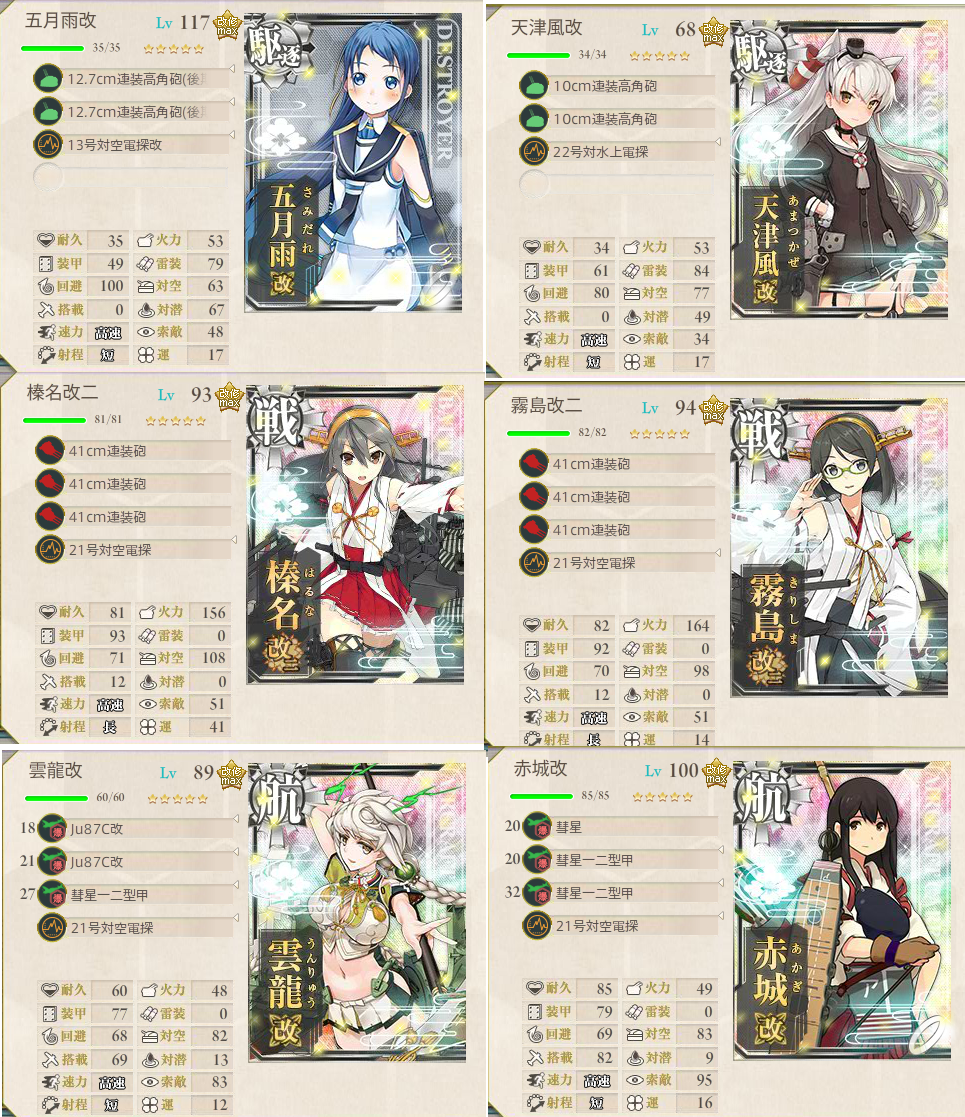
決戦。決戦支援
前哨戦。水上打撃部隊。第一艦隊
前哨戦。第二艦隊。
トドメは神通さん
| 資材 | E-1開始前 | E-5終了後 | 増減 |
| 燃料 | 236538 | 214347 | -22191 |
| 弾薬 | 232615 | 211570 | -21045 |
| 鉄鋼 | 300000 | 294131 | -5869 |
| ボーキ | 202881 | 204673 | 1792 |
| 高速修復剤 | 1667 | 1594 | -73 |
2018-02-17 :-)
_ アニメを消化するなど
メルヘンメドヘンはOPが完成しました。葉月の自分の物語がこれから始まるますね。楽しみです。
_ 羽生
オリンピックのフィギュアスケートを見ていました。羽生結弦選手が金メダル、宇野昌磨選手が銀メダルという結果でした。すごいですね。
あと藤井蒼汰五段が羽生善治竜王に勝ちました。「りゅうおうのおしごと」ていうレベルじゃない。


2019-02-17 :-)



2021-02-17 :-|
_ 日誌
0620 起床
0810 出勤。仕事場。36協定の超過申請(紙)を提出した。
1710 退勤
飯
2021 年フォントの旅。
Meiryo UIも大っきらい!! を入れてメイリオにしたり
MacType - The way texts should be 入れてもフォントは綺麗にならなかったり
HackGen フォントを入れたり。 【文字幅 半角3:全角5 も追加】Ricty を神フォントだと崇める僕が、フリーライセンスのプログラミングフォント「白源」を作った話 - Qiita VScode のフォントは Ricty Diminished を使ってたけど綺麗にならなかったので
_ みわ [発表されたVAIO ZのCore i7モデルのほうは4Kらしいけど お高いです https://vaio.com/p..]
_ みわ [Infinality 知らなかったんだけど freetype2 へのパッチ(?) とかバンドルされてたもの? Arc..]
_ けなく [元はfreetypeにパッチを当ててmacのフォントレンダリングを目指していたみたいです。 今お手軽なのだとfree..]
_ けなく [vaioは高いのとyoutubeのレビューで天板たわんでて怖かったです…]
_ みわ [VAIOは高いすなあ。買うならトラディショナルジャパニーズサラリマンなのでLet's Noteにしときます。]
2022-02-17 :-(




2024-02-17 :-)
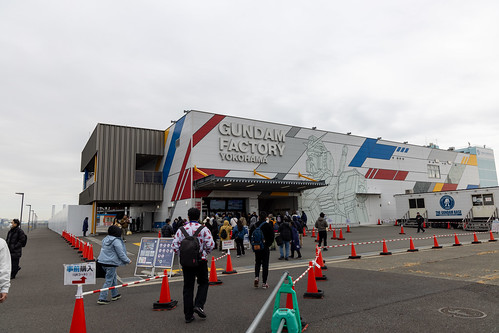
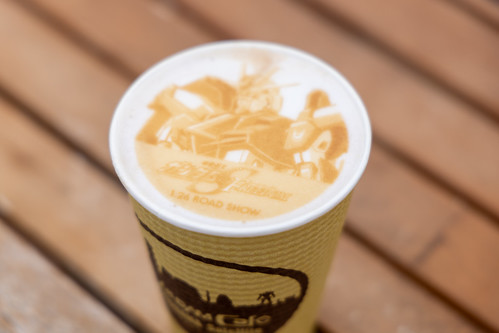
_ GUNDAM FACTORY YOKOHAMA に行ってきた
来月終了するので。それもあってか、めちゃ混んでました。
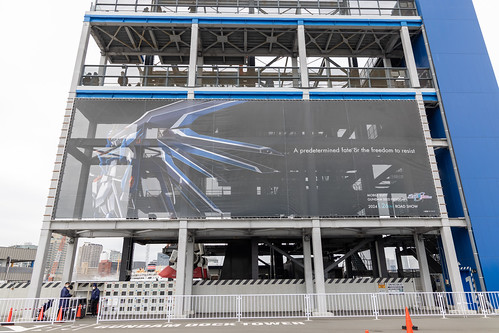
ガンダム起動のコンテンツが追加されてたんですね。アムロレイが話してました。
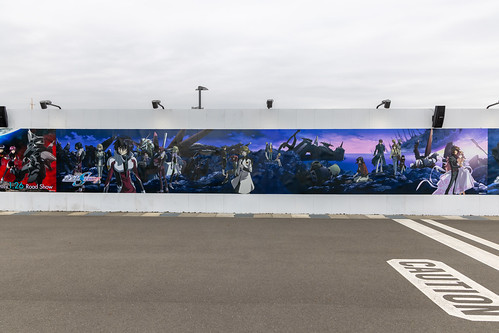
ガンダムSEED やってました。




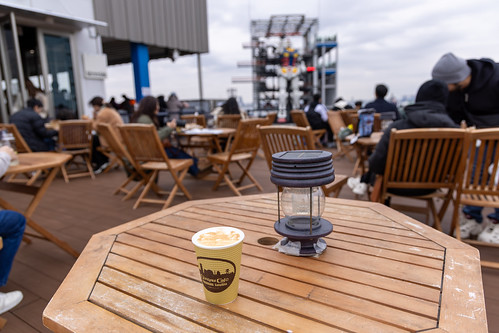
ガンダムCafe も混んでました。入場時に待機列なんていままでできたことなかったし、タイミングが悪いとテーブルが空いてないです。
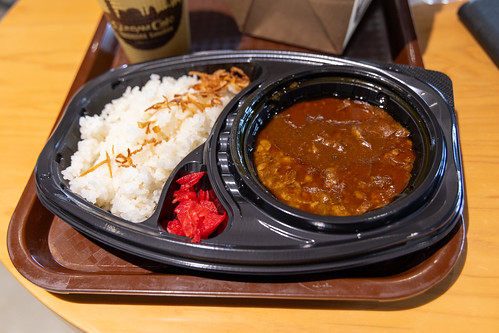

ガンダムを見ながらラテを飲んだり。
2025-02-17 :-(
_ ,
メダリスト:アニメ化の挑戦 圧巻のフィギュアスケートシーン制作秘話 山下愼平Pインタビュー(1) - MANTANWEB(まんたんウェブ)
そんな中で、制作会社として名前が挙がったのが、KADOKAWAの関連会社でもあるENGIだった。
艦これアニメ 2 期も ENGI 制作だったんですがどうしてああなったのかと頭を抱える提督。
_ ,
艦これアニメ 2 期については、 シナリオは視聴者の解釈次第なので問題ではない。それよりも ずいパラ以降 3 年間 劇場版クオリティの PV を見てきたのにいざテレビ放送が始まったときの第 1 話が壊滅していたのは問題としている。



_ のぶ [はじめに10分くらいMC(ぉ]
_ のぶ [オレオレ2枚重ね(意味不明)]
_ みわ [>のぶさん 前座ですね! ウダツ田中が...ぃゃ、ないだろう。 オレオレはサイズが小さいのでさくっと食ってしまいま..]
_ のぶ [そしてさくっと食い尽くしたのね(笑)]
_ みわ [>のぶさん わきに置いておくとなんだかんだで手が伸びてしまう笑]